Did you know that you can customize your phone messages in PhonePad?
Let’s have a look at a couple of examples.
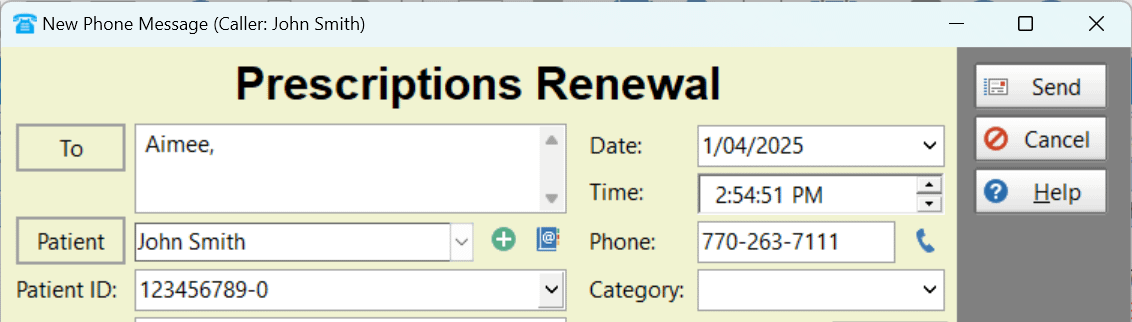
With this one, the Title, Caller and Company fields have been renamed to possibly suit a medical practice.
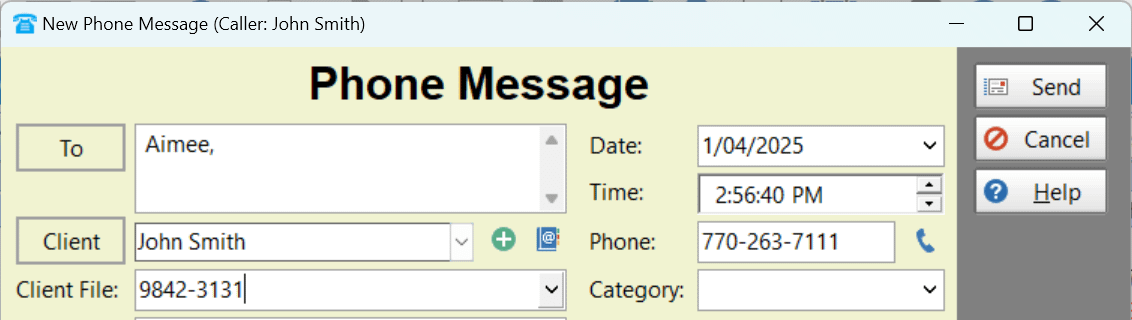
 Here the Caller and Company fields have been changed for use as Client name and file number.
 To customize various parts of a phone message, select Label Editor from the Manager menu.
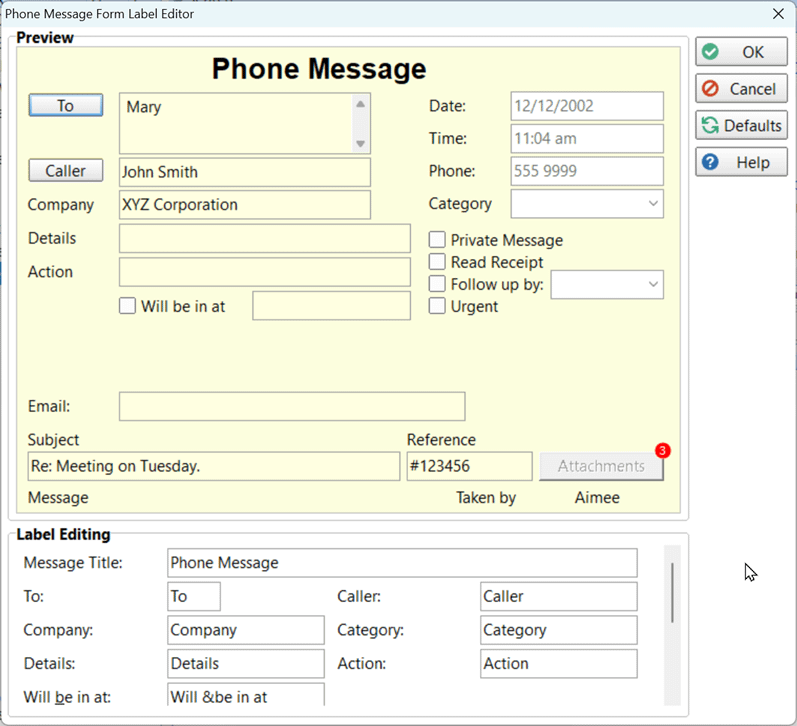 When you make changes to the phone message form, you can see a preview in real-time in the top part of the screen.
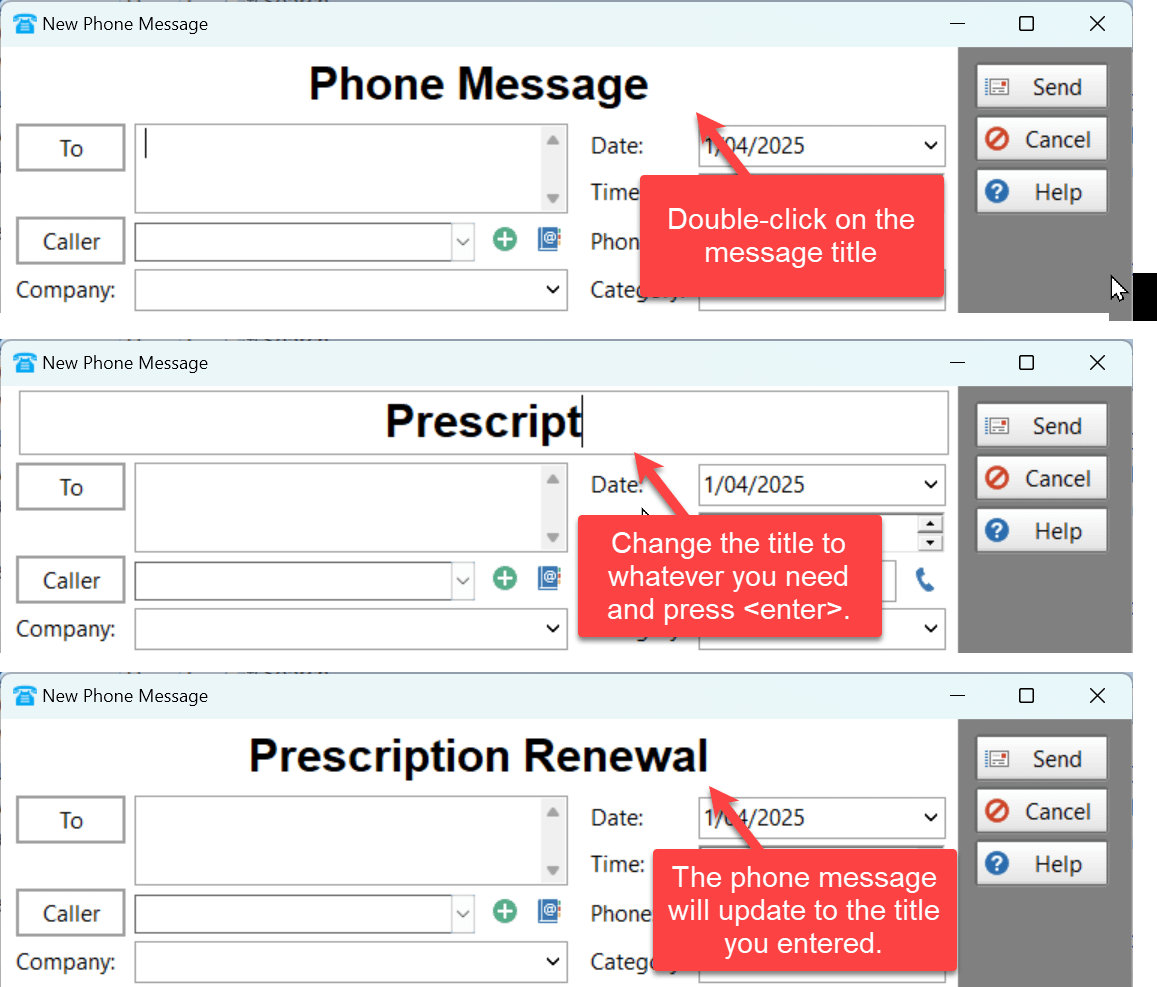
And to take the message customization one step further, with the next release of PhonePad you will be able to edit the message title for just that message.
 We’re always looking for ways to improve PhonePad so if you have any ideas on how we can help you customize your messages in ways that aren’t possible now, please let us know!