If you’re still using PhoneSlips, you already know how critical your message data is.
Every call. Every note. Every contact.
But what happens when you want to move forward — without losing everything you’ve built?
Until now, that’s been the biggest barrier.
Introducing the PhonePad Data Migration Tool
With the upcoming release of PhonePad version 5.92.0, migrating your data from PhoneSlips is now simple, safe, and built directly into PhonePad.
No spreadsheets.
No manual re-entry.
No guesswork.
No CSV files.
Just a guided import process designed specifically for PhoneSlips data.
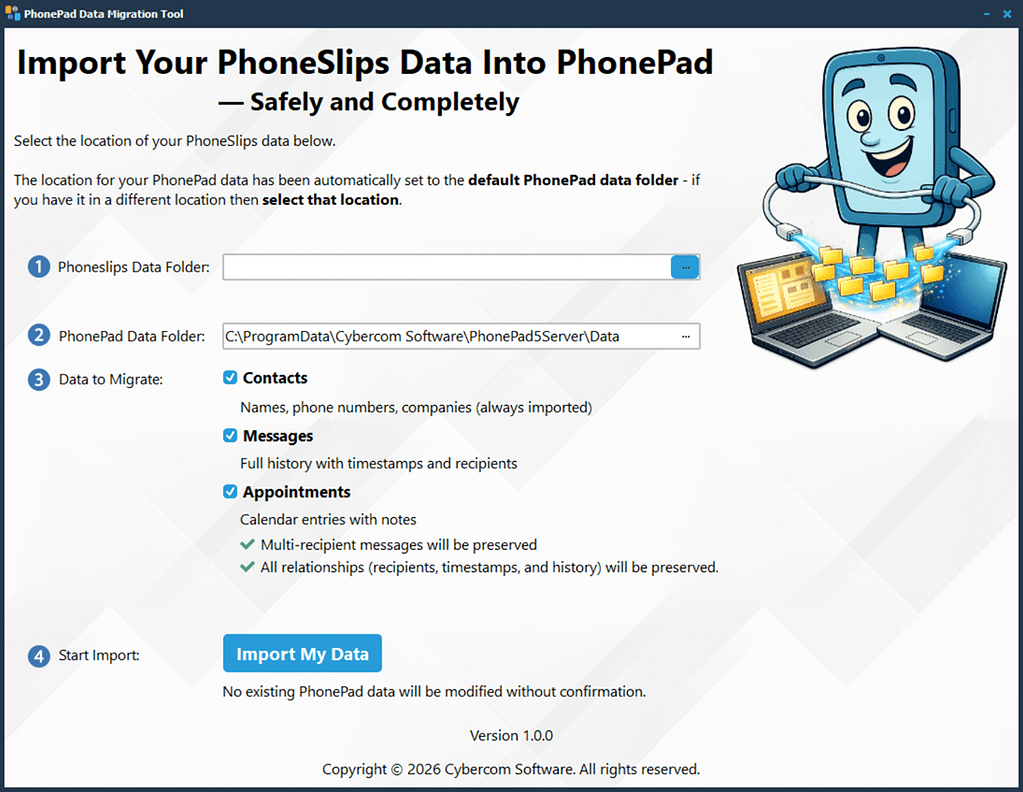 What the Import Tool Does
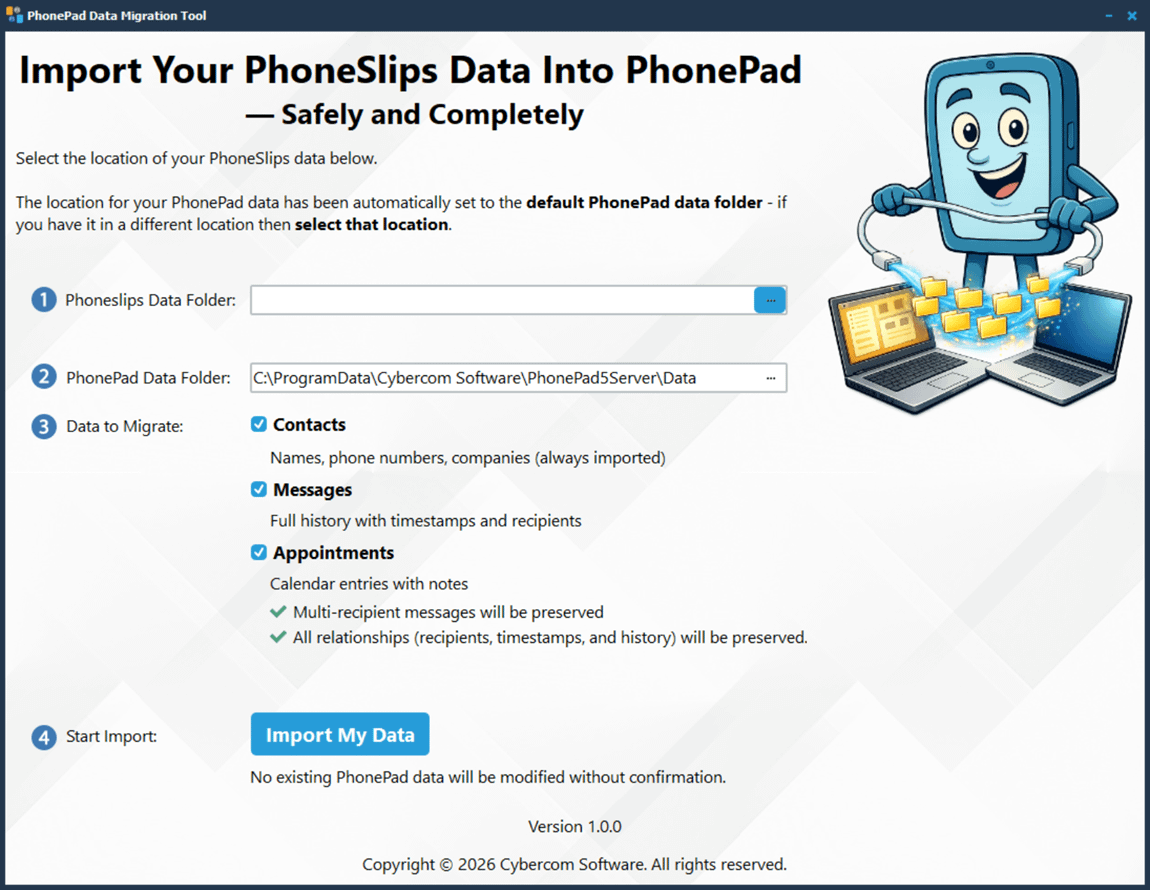
The PhonePad import tool reads your existing PhoneSlips data files and converts them into PhonePad’s structure.
It automatically imports:
- Contacts
- Messages
- Users
- Appointments
Everything is mapped and reorganized so it fits seamlessly into PhonePad.
Built for Accuracy (Not Just Speed)
Data migration isn’t just about copying files — it’s about understanding how the data is structured.
PhoneSlips and PhonePad handle things differently. For example:
- Callers vs recipients
- Message threading
- Group messages and CC recipients
The import tool intelligently handles these differences so your data ends up where it belongs.
Designed Specifically for PhonePad
This isn’t a generic conversion utility.
The import tool is built exclusively for PhonePad, ensuring the imported data integrates properly with your system.
That means:
- Users are created automatically
- Messages are assigned correctly
- Contacts are linked properly
Everything is aligned with how PhonePad works.
Safe to Use — With Full Transparency
We strongly recommend backing up your data before importing.
PhonePad also provides a detailed import log so you can review exactly what was imported and how it was processed.
No black boxes. No surprises.
Why Move to PhonePad?
PhonePad is a modern replacement for outdated phone message systems — without forcing you into the cloud.
Unlike many newer solutions, PhonePad stores your data locally on your own network, giving you full control over your information.
That means:
- Your data stays in your office — not on third-party servers
- No ongoing subscription required
- No reliance on internet connectivity
- Greater privacy and control over sensitive information
At the same time, PhonePad delivers all the benefits of a modern system:
- Centralized message management
- Multi-user access
- Instant updates across workstations
- A cleaner, more reliable workflow
Ready to Make the Switch?
The data migration tool will be available in PhonePad version 5.92.0.
If you’ve been putting off switching because of your existing data, that barrier is now gone.
 Download PhonePad now and be ready to import your PhoneSlips data when version 5.92.0 is released.
Stop managing messages the old way.
Start fresh — without starting over.