We often get asked if it’s possible to access PhonePad remotely over the Internet. The answer is “Yes, but….”.
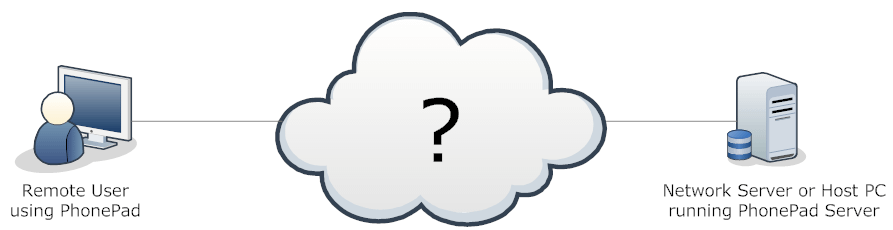
PhonePad has remote access built in. It provides both ends of the solution: PhonePad running on the remote PC and PhonePad Server running on your network server or Host PC. It’s the bit in the middle where things get a bit complicated. You know, that Internet thing.
PhonePad will work quite happily remotely as long as you get the middle bit sorted out.
Before we get started, now would be a good time to point out some alternatives. Services like GoToMyPC, LogMeIn, and TeamViewer can be an easier way of doing this, and some even have a free version for private use.
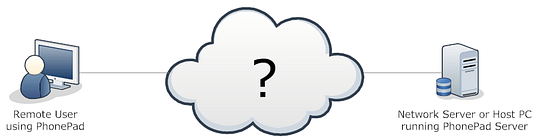
Here are the bits in between, represented by the Internet cloud in the above diagram.

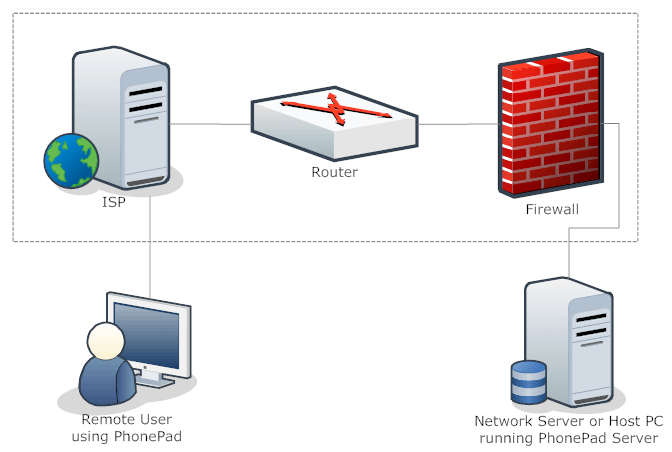
The tricky part is connecting the remote PC to the PhonePad Server application running on your server or Host PC. It has to go through your ISP’s server, your router and your firewall.
Your server or Host PC’s IP Address is local to your network. There’s no point configuring PhonePad with this IP Address as it’s not accessible outside of your network.
An IP Address will be automatically assigned to your router by your ISP (Internet Service Provider). PhonePad can use that IP Address to connect to your router.
But that’s not all.
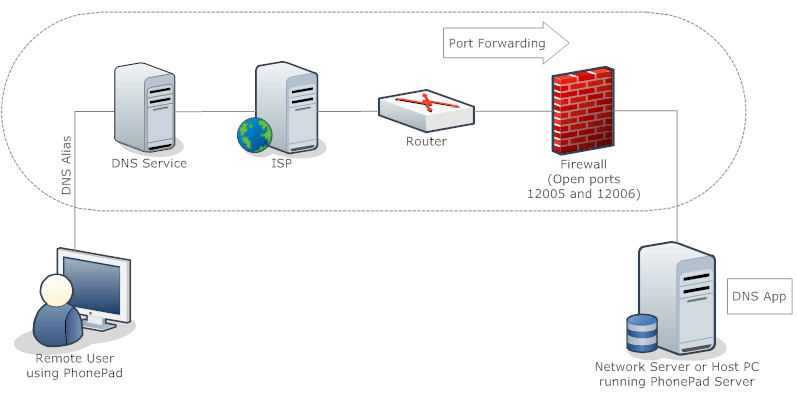
Your router needs to be configured to forward the connection to your Server or Host PC’s IP Address, using Port Forwarding via ports 12005 and 12006. These ports may also need to be opened on any firewalls that you have on your network, and also in any security software you use.
The method for configuring Port Forwarding on your router will vary between manufacturers, and even between models for the same manufacturer. You can find out information on port forwarding in your router manual. There is also extensive information available here: www.portforward.com.
But there’s a trap for young players. The external IP Address assigned by your ISP can change. When this changes then PhonePad in the remote location will no longer be able to access the PhonePad Server over the Internet.
You can get around this by using a Dynamic DNS service like DynDNS (www.dyndns.com). With DynDNS you will need to open an account, which currently costs around $30 per year. Once you have an account you can create a DNS alias, which you will use instead of an IP Address.
You also need to download a small program (available from DynDNS) to your Server or Host PC. This app continually updates the DNS service with the IP Address assigned by your ISP, so if it changes the DNS service will know what it is.
Instead of connecting to an IP Address, PhonePad on your remote system will connect via the DNS alias you created, enabling it to connect to your PhonePad Server no matter what the IP Address changes to.

Please note that all of these elements have to be in place. You can’t skip anything and expect it to work.
To sum it up, here is what needs to be done:
- In the remote location, PhonePad has to be configured for Remote Mode using DBConnect. The alias you created under your DynDNS account (or similar) has to be entered in Server Host Name under the Server tab. For example, if your alias was myalias.dynalias.com, you would enter myalias.dynalias.com under Server Host Name.
- In the remote location, your security software and/or firewall may need to be configured to allow PhonePad to connect over the Internet. You may also need to specify ports 12005 and 12006.
- In the office, Port Forwarding needs to be set on the router/modem. It needs to port forward ports 12005 and 12006 to the server’s IP Address. We can’t tell you how to configure this because all routers are different. You will need to consult your router’s manual for more information.
- In the office, you may have security software and/or firewalls either on the router and/or server that need to be configured to allow the connection between PhonePad Server and the Internet.
- The PhonePad Server must be running on the server.
- The DynDNS update application (or similar) must be running on the server.
As you can probably guess, this is not something we can set up automatically for you. We can help you with configuring PhonePad in the remote location, and with configuring the PhonePad Server on your network, but you will need to get the bits in between sorted out.
We can provide some guidance but we can’t do this directly for you as that part doesn’t really have anything to do with PhonePad specifically. You will need someone with some IT expertise to help with this. We are happy to liaise with them to help you get up and running.