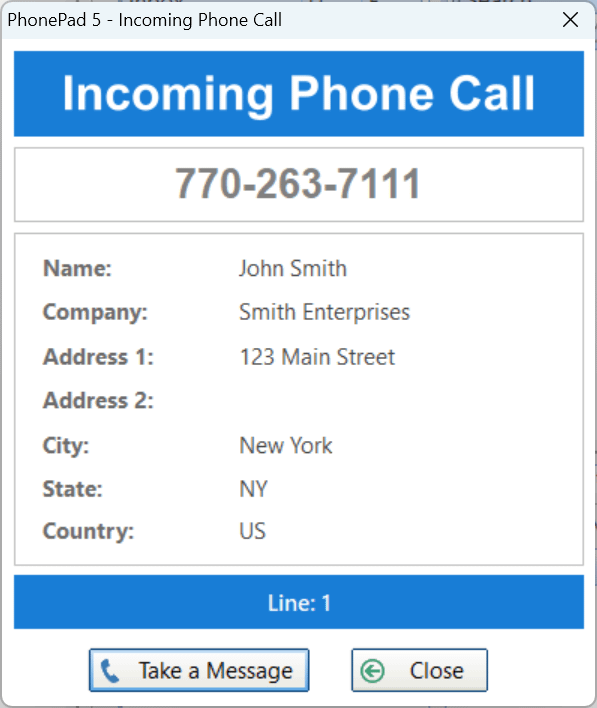
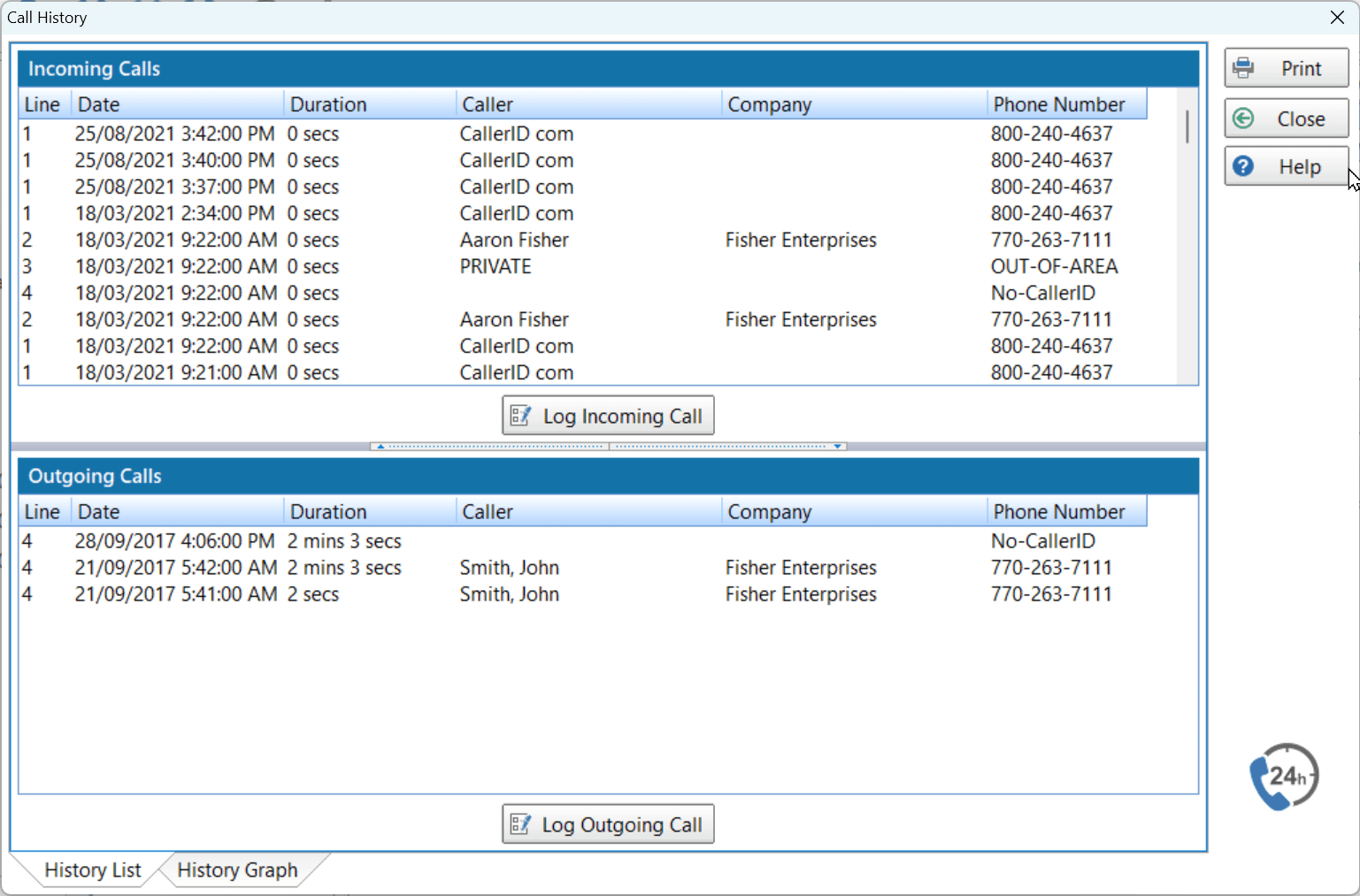
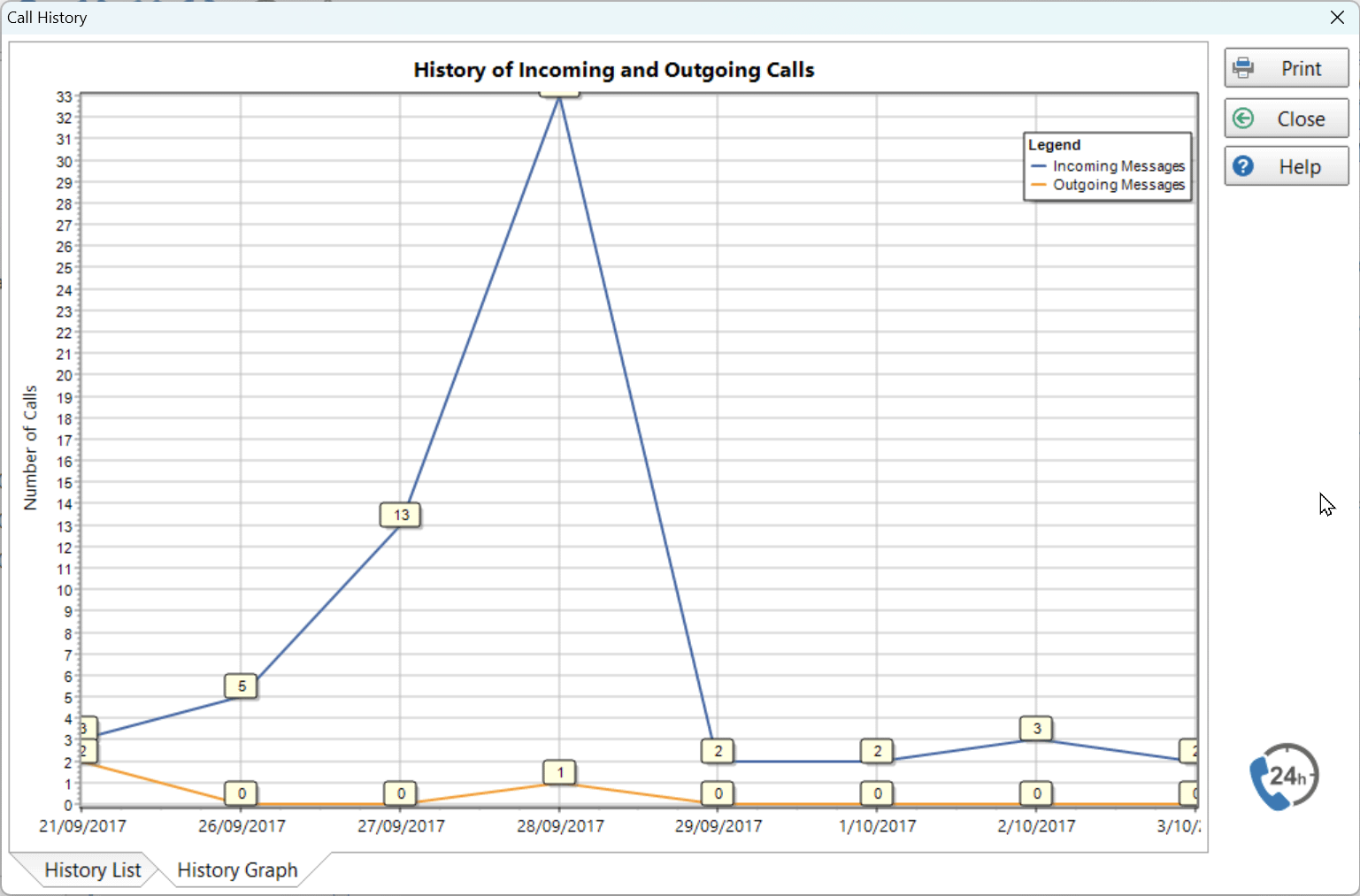
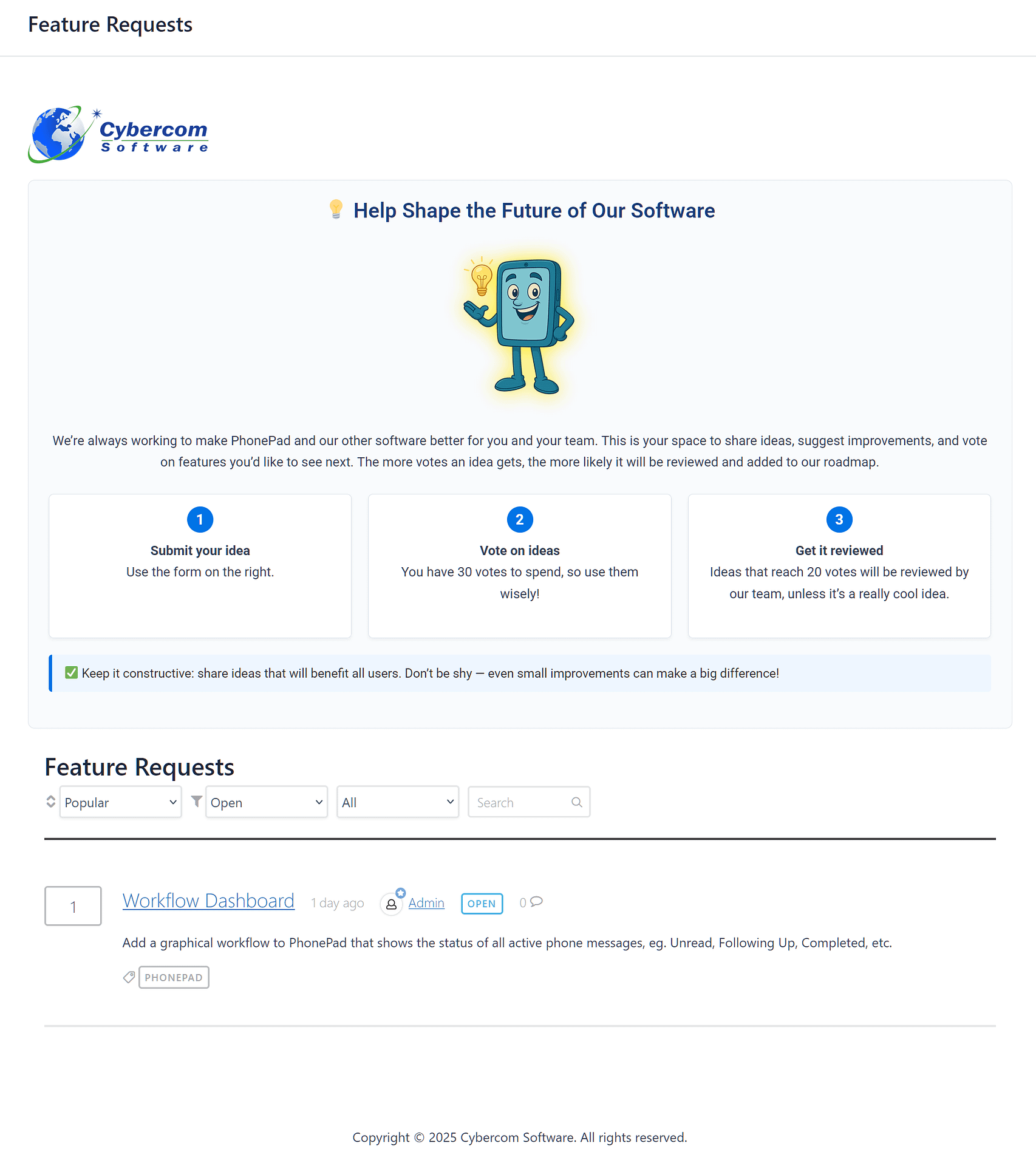
Manage your phone messages quickly and easily with PhonePad!

Introducing Our New Feature Requests Page.

We’re always looking for ways to make PhonePad better.

And while we’ve built some powerful tools over the years, the truth is many of the best ideas have come directly from you—our customers.

That’s why we’re thrilled to roll out something new, something that makes it even easier for your voice to guide our future: the Feature Requests page.

Feature Requests PageFrom Ideas to Action

Over the years, PhonePad has grown thanks to countless small suggestions.

For instance, the quick shortcuts you love, the smoother call management flow, and even the shared To Do Lists—all started as customer ideas.

Now, instead of emailing us or hoping your idea makes it through support, you’ll have a clear place to share it.

This makes the process faster, more transparent, and far more collaborative.

So, How Does It Work?

Here’s the simple flow:

  • Step 1: Share your idea. Whether it’s a small tweak or a big new feature, we want to hear it.
  • Step 2: Vote on others. If you see an idea you like, give it a vote. The more votes, the louder the message.
  • Step 3: Track progress. You’ll be able to see which ideas are under review, planned, or already being built.

In other words, it’s not just a suggestion box—it’s a real roadmap-in-progress.

Phone Dude with Phone DogWhy This Matters to You

By participating, you’re not only shaping PhonePad—you’re also helping your peers.

Because when you propose a feature that solves your problem, chances are it helps dozens (or hundreds) of other businesses too.

And let’s face it—there’s something pretty satisfying about seeing your idea move from “just a thought” to “an official feature” that everyone’s using.

Getting Started Is Easy

To jump in, simply:

  1. Visit the Feature Requests page.
  2. Post your idea in a few quick words. No need for long explanations (unless you want to!).
  3. Upvote and comment on others. Add your support and insights to ideas you’d also benefit from.

That’s it—your input goes directly into the mix.

Together, We’ll Shape the Future

This new page is more than just a place for feedback—it’s a bridge between you and the ongoing evolution of PhonePad.

We’ll continue building tools to make your day smoother, but with your input, we’ll do it even better.

Visit the Feature Requests page and submit your idea today!

You can also access the Feature Requests page from within PhonePad

Feature Requests button/At the end of the day, PhonePad is built for you—and now, it’s built with you.


Our Website and Its Love of Afternoon Naps.

If you’ve stopped by recently and found the lights off, the doors locked, and the “Gone Fishing” sign out… well, you weren’t imagining it.

Our website has been taking more naps than a cat on a Sunday.

The culprit?

A mix of nosy bots banging on the front door of our blog, and a web server that throws a tantrum when it gets too much attention.

BotsThink toddler meltdown in the supermarket aisle.

So, we’ve been tightening things up:

  • Put a digital padlock on the admin door.
  • Taught WordPress to run on a real schedule instead of every time someone sneezes.
  • Retired a couple of plugins that were eating CPU like it was an all-you-can-eat buffet.

The result?

Our site should be awake more often, better behaved, and hopefully a little less dramatic.

Of course, if you catch it snoozing again, just know we’re somewhere behind the scenes with a hard hat and a lot of coffee, coaxing it back online.

Untangling cablesThanks for sticking with us— and thanks for laughing with us while our site learns the fine art of staying awake.

The Not-So-Cursed Orb.

Our brave adventurer (fedora slightly askew, socks definitely mismatched) has spent years dodging booby traps, outsmarting rivals, and eating way too many cans of beans in the desert. All for this moment.

He enters the temple… dramatic music plays in his head.

And there it is — on a pedestal, glowing brighter than his last campfire mishap — the legendary Orb of Communication.

His eyes widen. His hands twitch. He whispers:
“Please don’t turn me into a mummy… please don’t turn me into a mummy…”

Instead of a curse, the orb reveals its secret: PhonePad.

An adventurer discovers a glowing orb inside a lost tomb.No snakes. No rolling boulders. No angry pharaoh ghosts.
Just the ultimate tool for keeping messages organized, calls managed, and offices running smoother than a freshly polished pyramid floor.

The adventurer can’t help but laugh. “This isn’t just treasure — it’s way better than gold! It’s… paperwork I don’t have to do!”

And so, with a big goofy grin, he reaches out.
Because sometimes the greatest adventure isn’t about finding lost cities… it’s about finally finding a message system that actually works.

Try PhonePad for yourself for 30-days. No commitment. No obligation.

PhonePad Version 5.89.1 Has Been Released.

We are happy to announce the release of PhonePad 5.89.1.

IMPORTANT: MAINTENANCE RELEASE

Some users have reported an issue where PhonePad Version 5.89.0 (on workstations) was suddenly closing, requiring it to be restarted.

If you have experienced this issue then it’s strongly recommended you update to Version 5.89.1.

Changes in This Release

  • UPDATED: Database engine update to Version 2.39 Build 2.
  • FIXED: Some users were experiencing sudden closing of PhonePad workstation application.
  • Minor fixes and improvements.

Important Information About MessageSender

This release is only compatible with MessageSender Version 6.26.0 or later.  If you don’t use MessageSender then you don’t need to worry about this.

Problems?

We’re human too.  We haven’t been replaced by some algorithm – yet. And we’re definitely not perfect.  Like most other humans, we can make mistakes.  So chances are you may come across something that’s not quite working right.  If you do find an error or a bug, please let us know and we’ll fix it as quickly as possible.

Installation Information

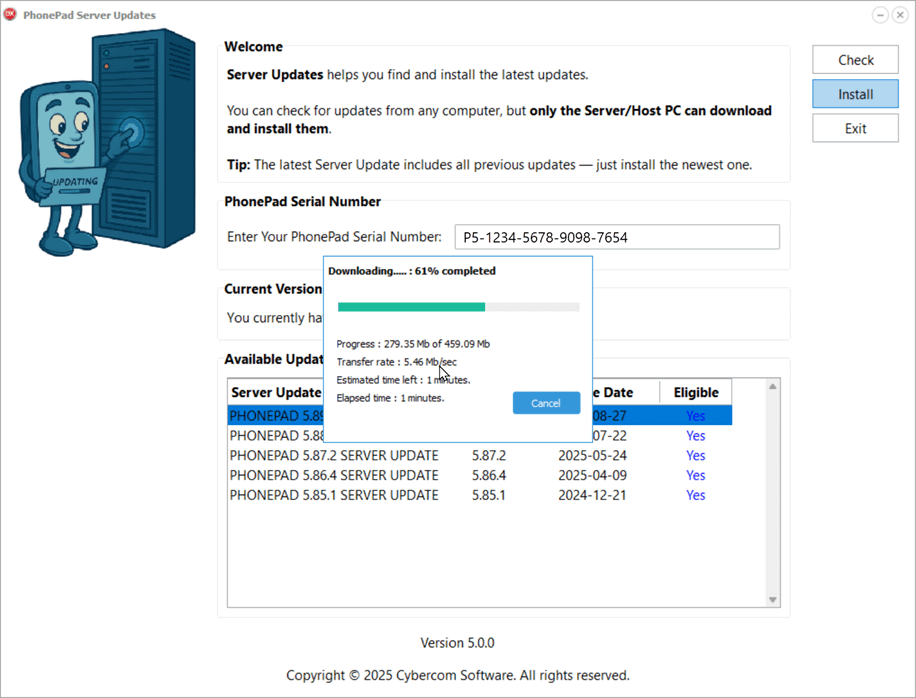
Please note: Server Updates must be installed on your Server or Host PC, not your workstation (unless your workstation is also the Host PC) – they cannot be installed directly on your workstations.  Make sure all users are logged out of PhonePad as the PhonePad Server will be stopped during the update and then restarted once it has completed.  Workstations will be automatically updated when PhonePad 5 Workstation is started on each workstation. Important: When downloading and installing an update from your My PhonePad account, make sure it’s actually the update and not the server setup program.

How Updates Work

Please read: You do not need to install every update between this one and the last update you installed.  PhonePad uses a smart update system that compares your current PhonePad system with what’s in the update, works out what changes are required, and then makes those changes.  So if you are a few versions behind don’t worry.  You can skip all of the updates in between and go straight to this update.

Updates and Anti-Virus Software

Depending on the anti-virus software you use, when you install a Server Update your AV software may class the updated software as a different program due to the change in binary signature.  If you experience speed or freezing issues after an update, you may need to reconfigure your AV software to stop real-time scanning of PhonePad.  This may need to be done on the both your Server or Host PC, and your workstations.

Digital Signatures

All PhonePad executables and DLLs are digitally signed for your protection.

You can confirm that a file is safe by right-clicking on it and selecting Properties from the popup menu, and then selecting the Digital Signatures tab.

Downloading the Update

You can download the update from your My PhonePad account.

If you are a current trial user you can download the update by logging in to My PhonePad Trial using the email address you used to start your trial.

Please contact Support if you have any problems or questions.

Installing Updates

If you’re unsure of how to install updates, please watch the video on this blog post.

You will need to have a current PhonePad Care Plan to install this update.  If your Care Plan has expired, you will need to renew it before you can install this update.

Update Installation Service

If you would rather have the Server Update installed for you, you can arrange for us to remote connect and install it.  The cost is $45 and you can schedule a date and time here: https://www.cybercom-software.com/remote-server-update-assistance.htm .

The Fortune Teller Who Predicted the End of Sticky Notes.

Inside a dimly lit gypsy caravan, the air was thick with incense and mystery. A woman sat at the table, nearly invisible beneath a blizzard of yellow sticky notes clinging to her from head to toe. Phone numbers, call-back messages, and half-finished reminders covered her like feathers on a giant, anxious bird.

Across from her, the gypsy leaned forward, her bejeweled hands circling a glowing crystal ball. She peered into the swirling light, her eyes widening. Then, with a knowing smile, she whispered the prophecy:

“I see your future… and it is free of sticky notes. The word… is PhonePad.”

The woman gasped. Could it be true? A world where phone messages weren’t lost beneath coffee cups or stuck to monitors until they turned to dust? A world where calls, appointments, and to-dos lived together in one place, accessible to everyone in the office?

The crystal ball shimmered brighter, and the sticky notes began to vanish, one by one. What was left was clarity, calm… and PhonePad.

A stressed out office worker consults a fortune teller.The moral of the story?
Even fortune tellers know: sticky notes are chaos, but PhonePad is crystal clear call management.

Ready to step into the future? Download PhonePad today.

The Thing Is… Your Office Deserves Better…

Remember Thing from the Addams Family? The loyal disembodied hand that always seemed to crawl in at just the right (or wrong) moment. We wondered: What if Thing were still delivering messages in the modern office?Thing holding a message.

The result? A creepy hand popping out of a wooden box, waving a message like it’s 1965. Funny on screen — but in real life, it’s a productivity horror story.

Death by Post-it

If your office communication system still relies on:

  • Sticky notes that mysteriously vanish into the Bermuda Triangle of desks,
  • Handwritten phone messages that look like hieroglyphics written during an earthquake,

…it’s only a matter of time before an important client call gets buried under a coffee cup.

Lost in the Sticky Note Void

Old-school systems aren’t just inefficient — they’re a black hole for information. Time, money, and opportunities all disappear faster than a Post-it stuck to the bottom of someone’s shoe.

If you’ve ever asked, “Did anyone take a message for me?” and gotten only blank stares, you know exactly what we mean.

From Creepy to Clever: Meet PhonePad

This is where the joke stops and the solution steps in. PhonePad is modern message management software designed to drag your office communication out of the crypt and into the 21st century.

With PhonePad, you can:

  • Instantly record and share phone messages,
  • Assign and track tasks (without Post-it warfare),
  • Use a built-in Appointment Calendar,
  • Keep your team connected without playing “Who stole my sticky note?”

No stickies. No guesswork. No missing calls. Just clarity and productivity.

Why Even Thing Would Approve

Thing was always ahead of his time. If he had access to PhonePad, he wouldn’t be sneaking around with scraps of paper. He’d be scheduling Gomez’s meetings, sending Morticia polite reminders, and maybe even organizing Cousin Itt’s calendar (hair appointments alone could take weeks).

If PhonePad can tame Addams Family chaos, imagine what it could do for your office.Thing from Addams Family

The Thing Is… You Need to Try It

Sticky notes belong in history museums, right next to floppy disks and rotary phones.

Download Your Free Trial of PhonePad

Because in the modern office, even Thing would agree: there’s a better way to deliver messages.

PhonePad Version 5.89.0 Has Been Released.

We are happy to announce the release of PhonePad 5.89.0.

New Update Service

A new service has been added to Control Center. The Update service ensures that the Public IP Address for PhonePad Remote and PhonePad Web. If you either of these features then it’s recommended you install and start the Update service.

Changes in This Release

  • NEW: Update Service manages Public IP Address for PhonePad Remote and PhonePad Web – install using Control Center on the Server.
  • NEW: When the follow up for a message is marked as completed, an optional notification is sent to the user that sent the original message.
  • NEW: Memos can be sent for appointments in Appointment Calendar.
  • IMPROVED: Performance has been improved using multi-threading technology.
  • IMPROVED: WorkstationConfig now enables selectable log levels.
  • CHANGED: Trial period for all applications has been changed from 60 days to 30 days.
  • FIXED: Selecting different users in the To dialog does not override the original recipients — pre-addressed messages were still being sent to the users they were initially addressed to.
  • FIXED: When exporting the Address Book, the columns were not being listed for selection.
  • Minor fixes and improvements.

Important Information About MessageSender

This release is only compatible with MessageSender Version 6.26.0 or later.  If you don’t use MessageSender then you don’t need to worry about this.

Problems?

We’re human too.  We haven’t been replaced by some algorithm – yet. And we’re definitely not perfect.  Like most other humans, we can make mistakes.  So chances are you may come across something that’s not quite working right.  If you do find an error or a bug, please let us know and we’ll fix it as quickly as possible.

Installation Information

Please note: Server Updates must be installed on your Server or Host PC, not your workstation (unless your workstation is also the Host PC) – they cannot be installed directly on your workstations.  Make sure all users are logged out of PhonePad as the PhonePad Server will be stopped during the update and then restarted once it has completed.  Workstations will be automatically updated when PhonePad 5 Workstation is started on each workstation. Important: When downloading and installing an update from your My PhonePad account, make sure it’s actually the update and not the server setup program.

How Updates Work

Please read: You do not need to install every update between this one and the last update you installed.  PhonePad uses a smart update system that compares your current PhonePad system with what’s in the update, works out what changes are required, and then makes those changes.  So if you are a few versions behind don’t worry.  You can skip all of the updates in between and go straight to this update.

Updates and Anti-Virus Software

Depending on the anti-virus software you use, when you install a Server Update your AV software may class the updated software as a different program due to the change in binary signature.  If you experience speed or freezing issues after an update, you may need to reconfigure your AV software to stop real-time scanning of PhonePad.  This may need to be done on the both your Server or Host PC, and your workstations.

Digital Signatures

All PhonePad executables and DLLs are digitally signed for your protection.

You can confirm that a file is safe by right-clicking on it and selecting Properties from the popup menu, and then selecting the Digital Signatures tab.

Downloading the Update

You can download the update from your My PhonePad account.

If you are a current trial user you can download the update by logging in to My PhonePad Trial using the email address you used to start your trial.

Please contact Support if you have any problems or questions.

Installing Updates

If you’re unsure of how to install updates, please watch the video on this blog post.

You will need to have a current PhonePad Care Plan to install this update.  If your Care Plan has expired, you will need to renew it before you can install this update.

Update Installation Service

If you would rather have the Server Update installed for you, you can arrange for us to remote connect and install it.  The cost is $45 and you can schedule a date and time here: https://www.cybercom-software.com/remote-server-update-assistance.htm .

The Day I Realized Sticky Notes Were Slowly Killing My Business

It was 7:46 p.m. on a Thursday when I saw it.

A small yellow sticky note — half-crumpled, smeared with coffee — lying next to the phone.

On it, in shaky handwriting: “Call Mr. Williams back. URGENT.”

Flustered receptionist surrounded by sticky notes.No date. No context. No callback number.

And just like that… another client relationship slipped through our fingers.

I’d been telling myself for months that our phone message chaos was “manageable.”

But at that moment, staring at that useless sticky note, I realized something chilling:

We weren’t just losing messages. We were losing money.

The Hidden Cost of “Just Take a Message”

If you run an office — especially in law, medical, or financial services — you already know the drill:

  • Staff scribbling phone messages on pads or Post-its.
  • Clients calling back angry because “no one got back to them.
  • You piecing together voicemails, emails, and scraps of paper like some kind of detective.

It’s exhausting. It’s embarrassing.

PhonePad will revolutionize your phone call management.And it makes you wonder: “How many opportunities have we lost that we don’t even know about?”

The Hero That Saved My Sanity

This is where things changed.

A colleague mentioned this little piece of software they were using called PhonePad.

At first, I brushed it off — “Another app? Great, one more login to forget.”

But here’s the thing: PhonePad wasn’t just another app.

PhonePad replaces sticky notes.It was a hero mechanism that solved my entire phone message problem in one move:

It turns every phone call into an organized, trackable, sharable digital message — instantly.

No scraps of paper. No forgotten callbacks.

And — this blew my mind — it works across the whole team. Everyone sees what’s going on.

Why It Just Makes Sense

The more I thought about it, the more obvious it became:

  • Every phone message is logged. No more “he said, she said.”
  • Every team member knows what’s pending. No more guessing if someone followed up.
  • Every call becomes a record. Which, let’s face it, is priceless if you ever need proof.

When I saw that it also integrates beautifully with other office tools and takes about 10 minutes to set up, it wasn’t a question of “Should I try this?”

It was: “Why didn’t I do this sooner?”

If You’ve Been There, You Know

You know that sinking feeling when a client says, “I left a message two days ago and no one got back to me”?

Or when you find out a team member forgot to pass along an urgent call?

Yeah. That’s the stuff that keeps you awake at night.

With PhonePad, that knot-in-your-stomach feeling? Gone.

Sticky notes driving you mad? You need PhonePad.Real People. Real Results.

“We have enjoyed our experience with PhonePad; it has allowed my business to grow faster due to not losing messages and having “repeat callers”. Before PhonePad, we used to use a Word Document and before that paper phone messages that would have a lag time between when the message was written, and when the intended recipient would read it. The delay would sometimes be hours or days and therefore we would have upset “repeat callers” who might have already called 2 or 3 times more by the time the message was written which would cause chaos. In addition, only one person could use the Word Document at a time which meant that unsaved Word documents or scratch paper would have to be used resulting in lost messages. PhonePad eliminated all of these issues and allowed me and all of my employees to see any messages at any time with no restrictions..”
Bernie C. CEO, Accounting Firm.

“Really like everything about PhonePad. And recommending it to others.”
Marie J. Office Manager and Paralegal, Law Firm.

“We have been using PhonePad for our business, and it has proven to be an absolute game-changer in keeping us organized and on top of our incoming phone messages. The software’s user-friendly interface and intuitive design make it a standout choice for efficiently managing a high volume of messages.

One of the standout features that we absolutely love is the ability to make detailed notes on messages. This has greatly improved our communication and collaboration within the team. PhonePad’s organizational prowess is evident in its capability to categorize and prioritize messages, ensuring that no crucial information is overlooked. This has streamlined our workflow and significantly boosted productivity.

The task management features offered by PhonePad are another highlight. Being able to create and track tasks associated with specific messages has enhanced our team’s accountability and provided a systematic approach to handling follow-ups and action items. The option to check off completed tasks provides a tangible sense of progress, contributing to a more organized and focused work environment.

One particular advantage that sets PhonePad apart is the ability to have a listing of messages directly on the computer. This eliminates the need for small pink phone slips that are easily lost or misplaced, along with the valuable information they contain. This digital approach has proven to be a much more reliable and efficient way to manage our messages.

In conclusion, PhonePad has been an invaluable asset to our business, providing a comprehensive solution for managing phone messages with efficiency and precision. Whether it’s the note-taking capabilities, organizational features, task management tools, or the convenience of a digital message listing, PhonePad excels in every aspect. We highly recommend it to businesses seeking a reliable and powerful tool to stay organized and enhance communication.
– Wendy J., Vice-President, Consumer Services.

PhonePad makes your office life stress free.Who It’s For (And Who It’s Not For)

PhonePad is for:

  • Offices where missing messages costs money or credibility.
  • Teams that need accountability and better communication.
  • Business owners who don’t want to babysit their phones.

It’s NOT for:

  • Hobby businesses with one or two calls a week.
  • Anyone who thinks sticky notes are “good enough.”

The Problem vs. The Solution

The Problem: Messy, unreliable phone message handling that’s costing you time, clients, and reputation.

The Solution: PhonePad. A central, simple, and rock-solid system for managing every phone call like a pro.

How It Works

  1. Install PhonePad (takes minutes, not hours).
  2. Set up your team. Each person gets their own login.
  3. Watch the magic happen. Every call gets captured, assigned, and tracked — no more lost messages.

Track every phone call with PhonePad.What’s In It For You?

  • Peace of mind. Every call is handled.
  • Professionalism. Clients notice when nothing falls through the cracks.
  • Time back. You stop chasing scraps of paper and start focusing on your work.

PhonePad will revolutionize your phone call management.Here’s the Best Part:

You don’t need to imagine what this would feel like.

You can try it free for 30 days. No credit card. No risk. Just less chaos.

Click here to try PhonePad now

Because your business deserves more than sticky notes.


PhonePad Version 5.88.0 Has Been Released.

We are happy to announce the release of PhonePad 5.88.0.

Changes in This Release

  • NEW: User Management now has a feature that allows you to reassign all messages from one user to another user. Ideal for when a staff member leaves.
  • NEW: WebServer has been added to Service Monitor and Service Watch.
  • CHANGED: Trial period for all applications has been changed from 60 days to 30 days.
  • FIXED: Appointment Calendar doesn’t remember which users are checked and unchecked between sessions.
  • FIXED: Sent messages announcement works for phone messages but not memos.
  • Minor fixes and improvements.

Important Information About MessageSender

This release is only compatible with MessageSender Version 6.26.0 or later.  If you don’t use MessageSender then you don’t need to worry about this.

Problems?

We’re human too.  We haven’t been replaced by some algorithm – yet. And we’re definitely not perfect.  Like most other humans, we can make mistakes.  So chances are you may come across something that’s not quite working right.  If you do find an error or a bug, please let us know and we’ll fix it as quickly as possible.

Installation Information

Please note: Server Updates must be installed on your Server or Host PC, not your workstation (unless your workstation is also the Host PC) – they cannot be installed directly on your workstations.  Make sure all users are logged out of PhonePad as the PhonePad Server will be stopped during the update and then restarted once it has completed.  Workstations will be automatically updated when PhonePad 5 Workstation is started on each workstation. Important: When downloading and installing an update from your My PhonePad account, make sure it’s actually the update and not the server setup program.

How Updates Work

Please read: You do not need to install every update between this one and the last update you installed.  PhonePad uses a smart update system that compares your current PhonePad system with what’s in the update, works out what changes are required, and then makes those changes.  So if you are a few versions behind don’t worry.  You can skip all of the updates in between and go straight to this update.

Updates and Anti-Virus Software

Depending on the anti-virus software you use, when you install a Server Update your AV software may class the updated software as a different program due to the change in binary signature.  If you experience speed or freezing issues after an update, you may need to reconfigure your AV software to stop real-time scanning of PhonePad.  This may need to be done on the both your Server or Host PC, and your workstations.

Digital Signatures

All PhonePad executables and DLLs are digitally signed for your protection.

You can confirm that a file is safe by right-clicking on it and selecting Properties from the popup menu, and then selecting the Digital Signatures tab.

Downloading the Update

You can download the update from your My PhonePad account.

If you are a current trial user you can download the update by logging in to My PhonePad Trial using the email address you used to start your trial.

Please contact Support if you have any problems or questions.

Installing Updates

If you’re unsure of how to install updates, please watch the video on this blog post.

You will need to have a current PhonePad Care Plan to install this update.  If your Care Plan has expired, you will need to renew it before you can install this update.

Update Installation Service

If you would rather have the Server Update installed for you, you can arrange for us to remote connect and install it.  The cost is $45 and you can schedule a date and time here: https://www.cybercom-software.com/remote-server-update-assistance.htm .